


Our Best Multi-Room AV Planning Tips
- Austin Mittelstadt
- Dec 2, 2025
- 6 min read

Updated: Jun 17

Planning a multi-room event takes a well-thought-out strategy, careful coordination and a clear understanding of how audio and video systems support the flow of information. When attendees move between breakout rooms, keynote spaces or networking areas, they expect every part of the event to feel seamless. And good AV planning is what makes this possible.
Our expert Channel Audio team in Nashville, TN, is here to share our 12 best tips when it comes to multi-room AV planning, including keeping your event organized and stress-free.
Why AV Planning Matters for Multi-Room Set-Ups
Multi-room events come in many forms that all rely on separate rooms running on a shared schedule, such as:
Conferences
Corporate retreats
Sales meetings
Training sessions
Educational programs
Each space needs audio, displays, microphones and connected systems that enable presenters without delay or confusion. Many planners underestimate how complex this can become.
When multiple rooms call for AV support simultaneously, the smallest details matter. A missing cable, a mismatched adapter or a single piece of gear placed in the wrong room causes timing issues that affect the entire agenda. A strategic plan avoids this by outlining every resource, every room and every transition before anyone arrives.
The goal is simple. Every attendee should walk into any room and experience clear audio, bright visuals and smooth transitions. They should never notice the behind-the-scenes coordination required to make that happen.

1. Know the Purpose of Each Room
Before choosing equipment, start with what each room needs to accomplish. One breakout room might host interactive workshops. Another might feature panel discussions. A third could be set for presentations with heavy visual content. Each of these requires different gear and layouts.
When you understand the purpose behind each room, you can match AV equipment to the format. By identifying each room’s purpose early, you avoid the risk of under-equipping or over-equipping a space. This pre-event prep also ensures that presenters walk into a room that feels built for their session instead of something pieced together at the last minute.
2. Map the Required AV for Every Space
Once you understand each room’s purpose, list out what the AV needs will be. This step is crucial to setting the foundation for sharing resources efficiently.
For example, you might find that all rooms require a display screen, but only one room needs recording capability. Or all rooms need reliable wireless microphones, yet only a single room needs video playback.
A clear room-by-room map helps you identify overlaps where gear can be shared. It also highlights unique requirements that must be assigned specific equipment.
Multi-room events work best when you document everything. Even small details should be noted ahead of time, such as:
Cable lengths
Adapter types
Power outlet locations
The more detailed your planning, the steadier the execution becomes.

3. Build a Centralized AV Equipment List
After mapping each room’s needs, combine everything into a single comprehensive list. This organization helps event coordinators and the AV team track what gear can be shared and what gear must stay in a certain area. A centralized list also allows you to assign microphones, displays, mixers, laptops and stands in a way that reduces duplication and saves you money.
However, the most important part is clarity. A good list makes it obvious which gear serves which purpose. It prevents confusion during setup and gives the crew a dependable reference during changeovers.
4. Plan the Signal Flow and Connectivity
Multi-room events often involve shared video feeds or audio playback that must play consistently in different areas. Understanding how signals move between rooms is just as vital as choosing the right gear.
If the main keynote room needs to share a live feed with overflow rooms, for instance, you'll need a distribution system capable of sending clean video and audio to every location. If multiple rooms require music or walk-in audio, each space must have a local or centralized playback option.
Reliable signal flow prevents issues like delay, echo or mismatched audio levels. It also allows your AV team to troubleshoot quickly since everyone knows how signals move across the event.
5. Schedule Setup Times for Each Room
A multi-room event rarely allows an AV team to set up everything at once. Some areas might be available early in the morning, while others can't be accessed until later.
Room-by-room schedules ensure the team knows which setups to prioritize and when resources will be available. If certain spaces share equipment, the schedule needs to reflect that timing. For example, a projector used in Room A for the morning keynote may be needed in Room B for afternoon sessions.
Good scheduling prevents bottlenecks. It helps your AV crew stay ahead of the event instead of reacting to last-minute surprises.

6. Use Consistent AV Gear Across Rooms
When possible, using the same type of gear in multiple rooms:
Reduces confusion
Shortens setup time
Gives presenters a clearer experience.
If every breakout room uses the same wireless mic model, your AV team can adjust frequencies faster. If every room uses the same brand of TV or projector, content looks consistent across the event.
Overall, consistency simplifies training for presenters and makes it easier for technicians to provide support. It also streamlines your inventory list and reduces the chances of compatibility issues.
7. Label Everything Clearly
When equipment travels between rooms, clear labeling prevents potential mix-ups. Here are a few examples of AV gear that should all be labeled by room or use case:
Mic receivers
Power supplies
Cables
TV and mic stands
Adapters
Labels help your crew move faster, especially during shifts between sessions. Events with tight schedules rely on organization, and labels are one of the simplest tools to keep everything running with ease.
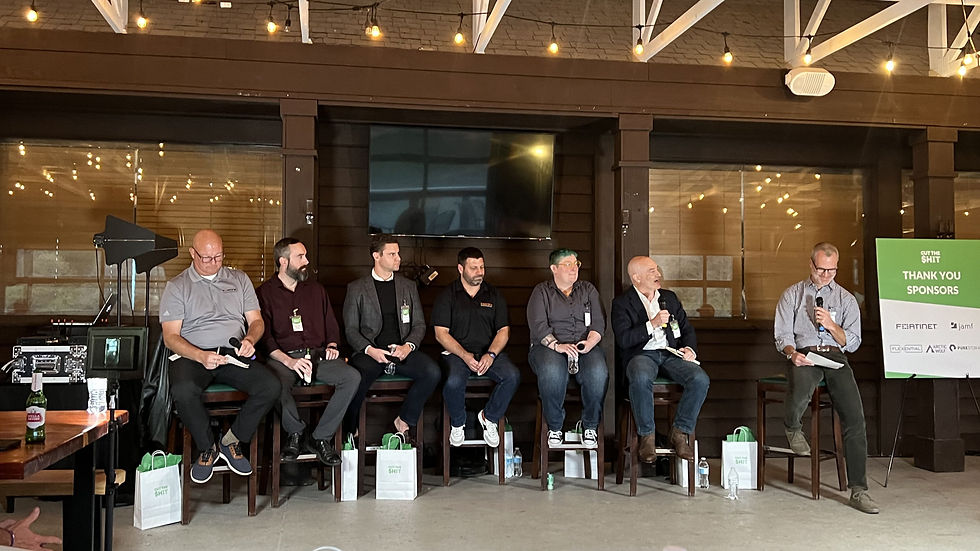
8. Prioritize Wireless Reliability in Multi-Room Events
Breakout rooms often require multiple wireless microphones running simultaneously. If these systems interfere with each other, audio quality suffers.
A coordinated wireless plan is essential. It should include frequency coordination, antenna placement and proper spacing between receivers. The AV provider should test every wireless mic in every room before attendees arrive.
Clear and reliable wireless audio is one of the most noticeable indicators of a well-planned event. When presenters can speak without worrying about audio dropouts, the whole event feels more professional.
9. Test All Equipment for the Event Before Attendees Arrive
It's best practice to have a complete tech rehearsal for a multi-room event. The AV team should test the following in every room:
Microphones
Displays
Playback devices
Signal distribution
Running a full test is the best way to catch issues early. A cable that doesn't reach, a laptop that needs an adapter or a mic that picks up interference will cause problems during a live session. Testing removes these risks.
This step is especially important when equipment is shared. A projector might work perfectly in Room A but fail to detect a source in Room C, for instance. Testing ensures compatibility across the board.
10. Have an AV Support Technician Assigned to the Event
Even with perfect planning, live events need real-time support. Assigning a dedicated technician to handle all AV rooms prevents delays if something needs to be fixed or adjusted.
A technician can monitor audio levels, assist presenters with slides, handle mic changes and respond to issues quickly. Multi-room events run better when a trained professional is available instead of hoping you can reach someone from the team on short notice.

11. Prepare Backup AV Equipment
Shared resources are efficient, but they may increase the risk of downtime if something fails. A few spare cables, adapters, microphones or power supplies can save the day.
Backup gear prevents sessions from running late and protects the event schedule. It also gives presenters confidence knowing that if a device fails, the AV team can resolve it immediately.
12. Keep Transitions Smooth and Simple
A multi-room event should feel organized from start to finish. Seamless transitions between sessions depend on consistent room layouts, clear signage and a reliable AV setup.
When attendees move from a keynote to a breakout room, the sound and visuals should feel familiar. Presenters should know exactly where to stand, where to place their notes and how to start their content.
The easier it is for presenters and attendees to use the space, the more polished the event will feel.

Find Expert AV Support for Your Next Event Near Nashville, TN
Multi-room events can feel complex, but with the right planning, every breakout room can feel as polished as the main stage. When you understand each room’s purpose, map the AV needs carefully, coordinate shared resources and keep everything consistent, your event stays on schedule and your presenters stay confident.
Need audio equipment for your Nashville event? Channel Audio rents professional-grade gear with delivery and setup included. Browse our audio rentals or request a quote today.
At Channel Audio, our team specializes in multi-room AV setups for conferences, trainings and corporate events throughout Nashville, TN, and the Mid-South. If you want your breakout rooms to run with ease with clear audio, bright visuals and reliable support, reach out to us and let our team handle the details. We'll help you plan it, set it up and make sure every room feels ready for your guests.


Comments